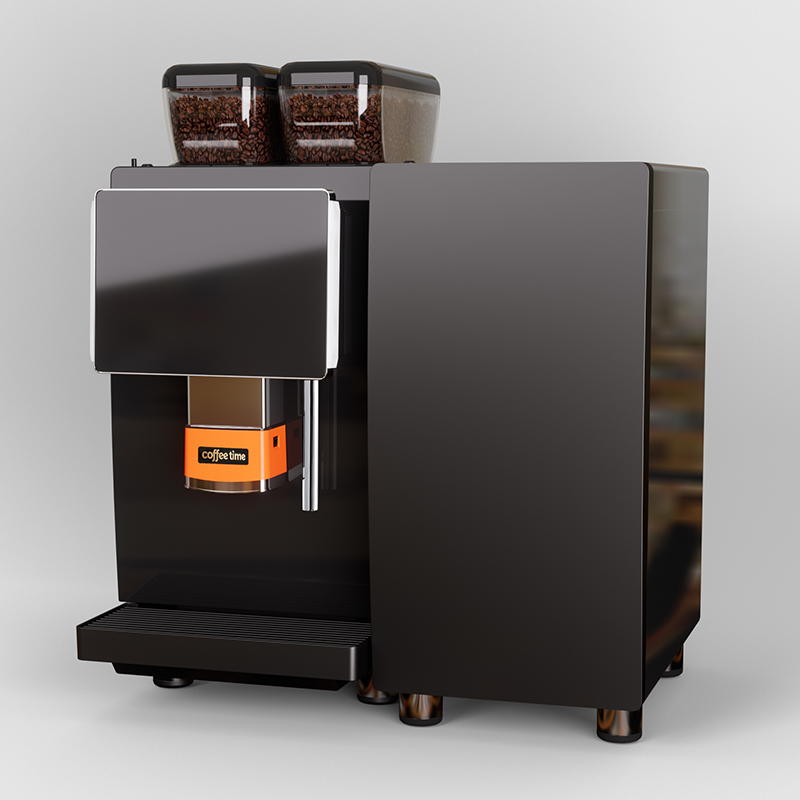
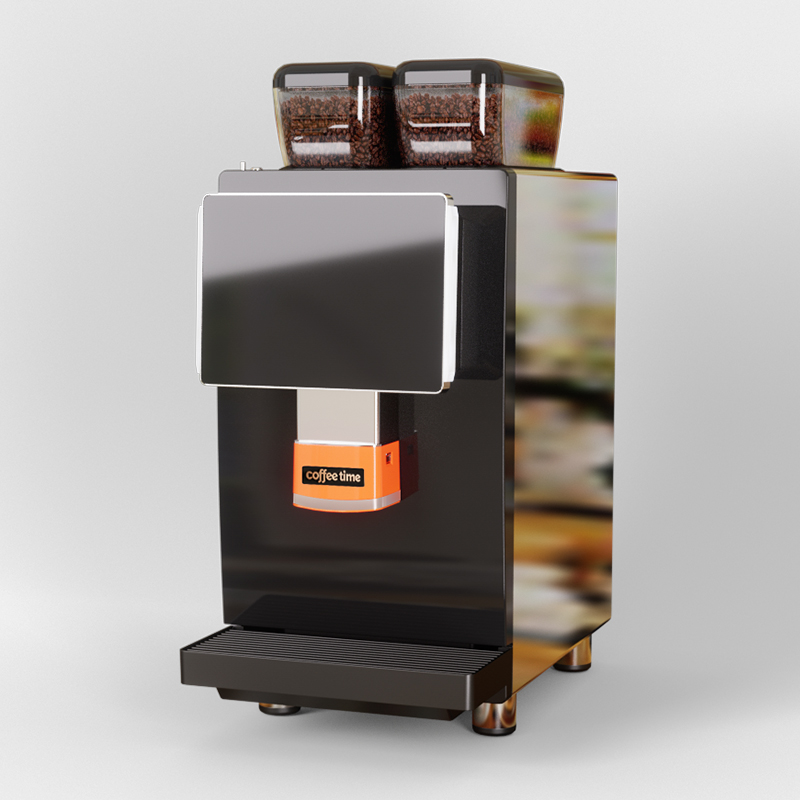
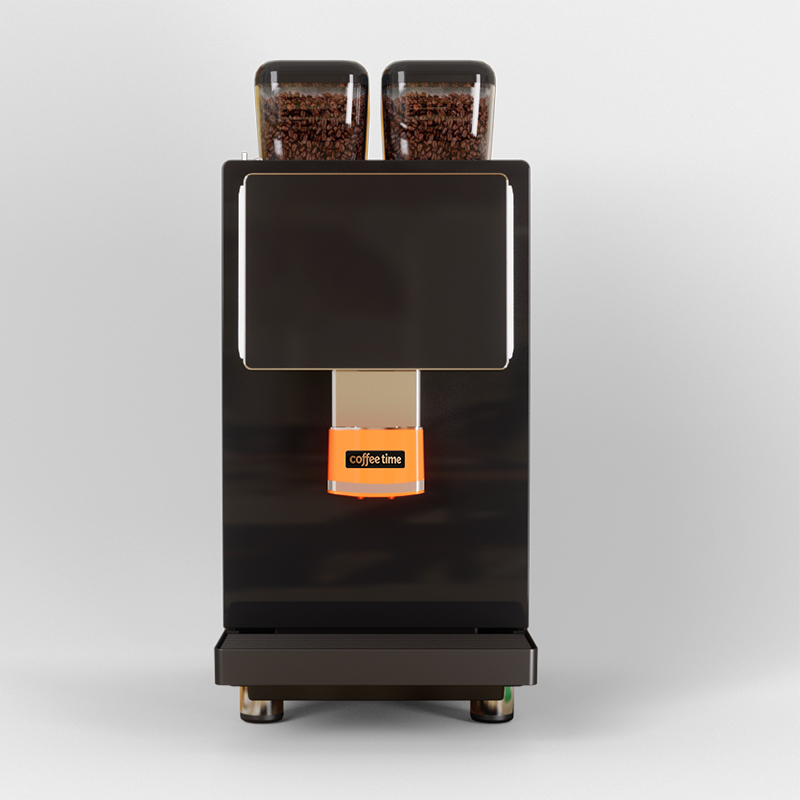
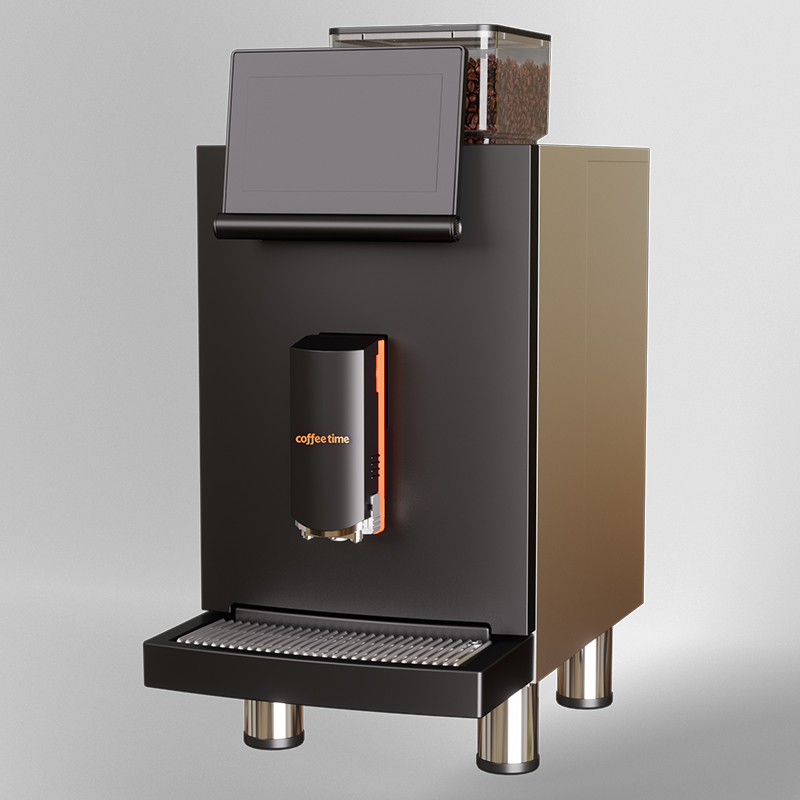
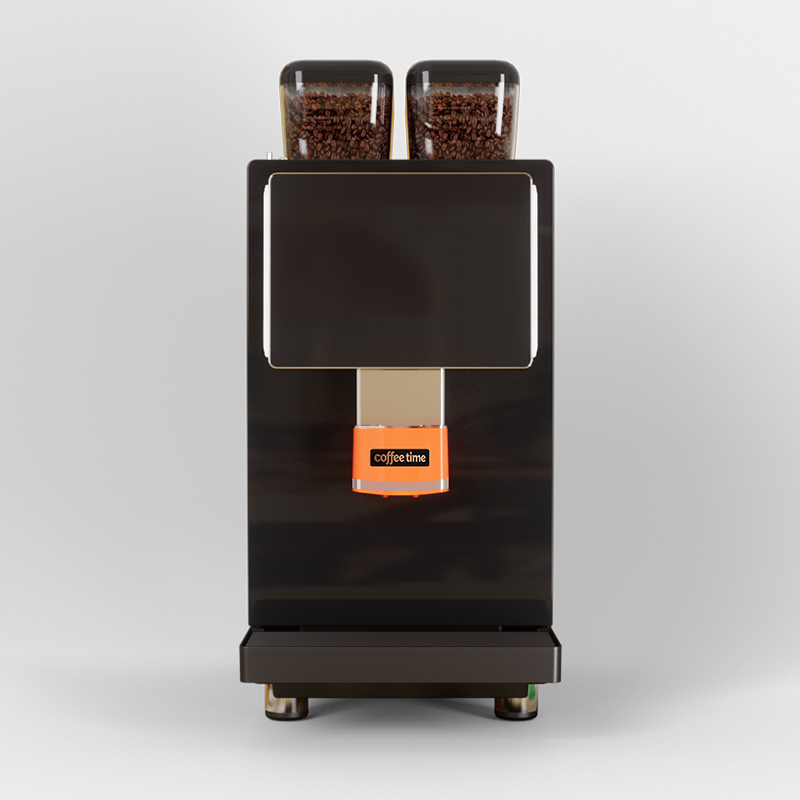
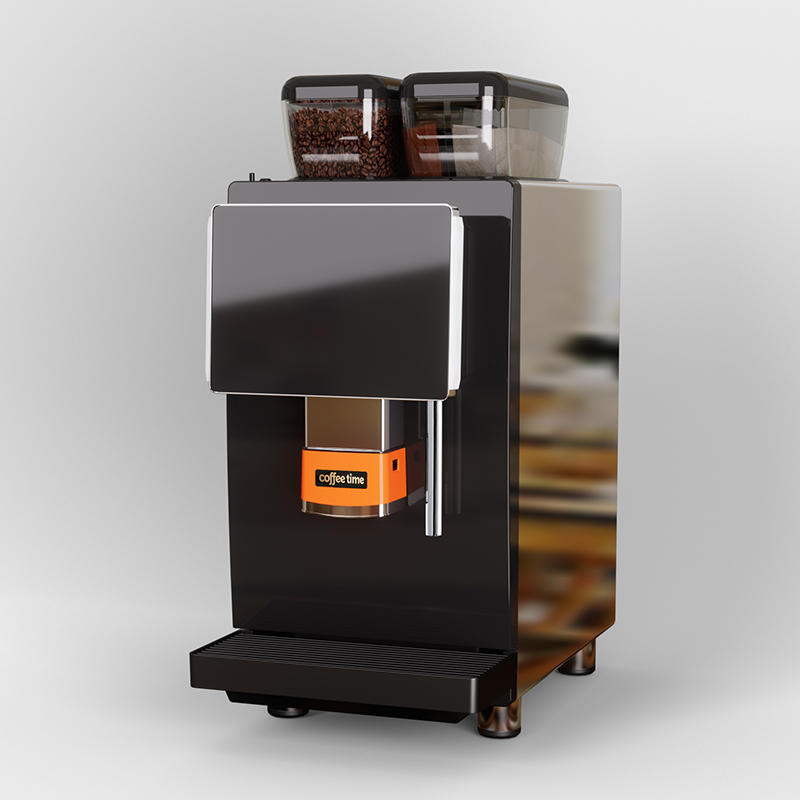
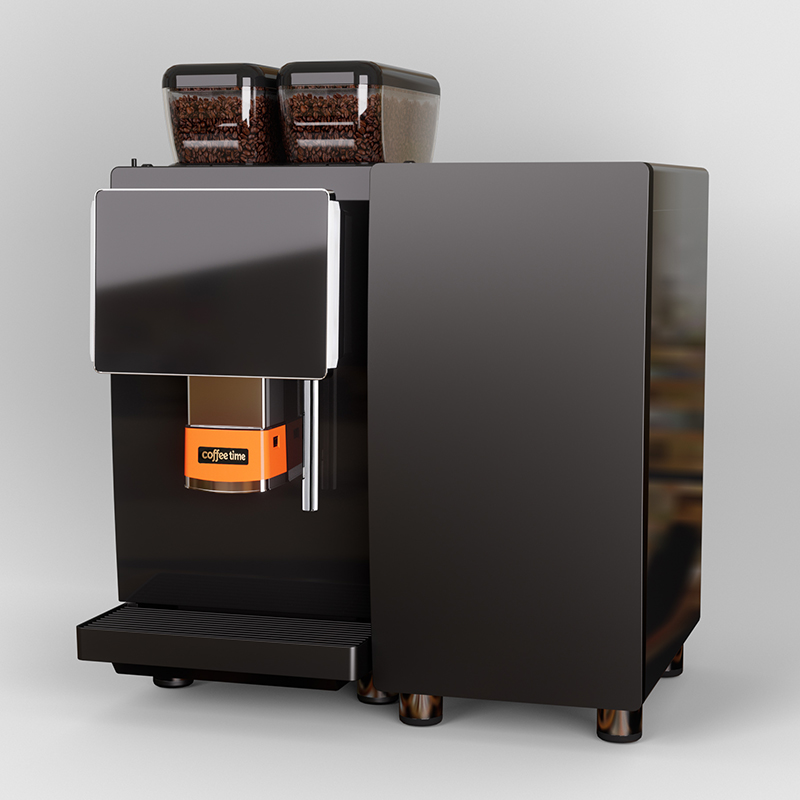
An automatic bean to cup coffee machine grinds fresh beans and brews your drink with one button press. You skip manual steps like measuring grounds or tamping. The Coffeetime W6 Series shows this perfectly. You fill its water tank, pour beans into the hopper, and select your beverage on the bright touchscreen. Then you customize strength or temperature. The machine handles grinding, brewing, and even milk frothing automatically. You simply press start and wait. Your main steps are straightforward: fill water, add beans, select drink, customize, brew, and enjoy. This guide walks you through each action in detail. You will master your machine quickly.
Key Takeaways
Fill the water tank and bean hopper, then select your drink on the touchscreen.
Adjust grind size, temperature, and cup volume to match your taste.
Use fresh whole beans and filtered water for the best flavor.
Clean the machine daily and descale every one to three months.
Fix weak coffee by checking beans, grind size, and water temperature.
Getting to Know Your Automatic Bean to Cup Coffee Machine
Before you brew your first cup, take a moment to understand the main components of your machine. Every automatic bean to cup coffee machine shares the same core anatomy. The Coffeetime W6 Series makes each part easy to access and maintain. Knowing these parts helps you operate the machine with confidence.
Key Parts: Water Tank, Bean Hopper, and Grinder
The water tank sits at the back or side of the machine. You lift the lid, pour in fresh water, and close it securely. The bean hopper sits on top. You fill it with whole coffee beans, and the built-in grinder crushes them fresh for every drink. This on-demand grinding preserves the oils and aromas that pre-ground coffee loses quickly.
The W6 Series includes a large 24g brewer capacity. This specification matters because it determines how much coffee the machine can extract in a single cycle. A larger capacity means you can brew strong espresso shots or larger drinks without stopping to refill the brewer.
The W6 series brings a large 24g brewer capacity, so you can brew strong shots or make bigger drinks without stopping to refill.
The intelligent lifting outlet adjusts its height automatically. It moves up or down to match your cup size. You can place a small espresso cup or a tall travel mug underneath, and the outlet positions itself correctly to prevent splashing.
Specification
W6 Series Detail
Brewer Capacity
24g for strong or large drinks
Lifting Outlet
Moves up and down for various cup sizes
Touchscreen
10.1-inch Android color display
Milk Module
Optional fresh milk system
Cleaning
Tool-free removable parts with reminders
The Control Panel and Drink Selection
The control panel features a 10.1-inch Android color touchscreen. This display makes drink selection intuitive. You scroll through options, tap your choice, and adjust settings with your finger. The interface responds quickly and shows clear icons for each beverage type.
Flexible and gorgeous programmable touch screen with 10.1-inch Android color display for easy operation
Multimedia interface offers almost unlimited possibilities, including top-quality video with excellent sound
The multimedia capability means you can watch brewing tutorials or play relaxing content while your coffee prepares. The display also shows maintenance reminders and error alerts. You adjust espresso strength, temperature, and cup size directly on this screen. The independent split-control thermal system maintains precise water temperature for optimal extraction. This automatic bean to cup coffee machine puts professional control at your fingertips.
Step-by-Step Brewing Guide
Now you understand the machine's parts. You are ready to brew your first cup. This section walks you through each action in order. Follow these steps, and you will produce a café-quality drink every time.
Filling Water and Adding Beans
Start with the water tank. Pull it out from the back or side of the machine. Open the lid and fill it with fresh, cold water. Use filtered water when possible. Minerals in tap water can build up inside the machine over time. Replace the tank and push it firmly until it clicks into place.
Next, fill the bean hopper. Lift the lid on top of the machine. Pour whole coffee beans into the hopper. Do not fill it past the maximum line. The W6 Series grinds beans on demand, so you only add what you need. This process keeps beans fresh because they stay whole until the moment of brewing.
Use fresh beans for the best flavor. Beans lose their aroma within weeks of roasting. Buy small batches and store them in a cool, dark place.
The W6 Series includes a 24g brewer capacity. This large capacity lets you brew strong espresso shots or larger drinks without stopping. The machine grinds the exact amount of beans for each drink you select. You do not measure or tamp anything yourself.
Check the water level before each use. The machine alerts you when water runs low. The bean hopper also has a low-level sensor. These reminders prevent interrupted brewing cycles.
Customizing Settings and Brewing Your Drink
Now you are ready to select your drink. Look at the 10.1-inch Android color touchscreen. The display shows clear icons for each beverage type. Tap your choice, such as espresso, americano, cappuccino, or latte.
The touchscreen lets you adjust many parameters. You can change espresso strength, water temperature, and cup volume. A stronger setting produces a more intense flavor. A milder setting creates a lighter taste. The independent split control thermal system maintains precise temperature control. This system keeps water at the optimal temperature for extraction, ensuring consistent flavor in every cup.
You can also adjust milk settings if your machine has the optional fresh milk system. This module includes a chilled chamber that keeps milk cold until you need it. The machine froths milk automatically and adds it to your drink. You choose the milk texture and temperature on the screen.
After you customize your settings, place your cup under the outlet. The intelligent lifting outlet adjusts its height automatically. It moves down close to your cup to prevent splashing. You can use a small espresso cup or a tall travel mug.
Press the start button. The machine grinds the beans, tamps them, and brews your drink. The entire process takes less than a minute for most beverages. The machine alerts you when your drink is ready.
This automatic bean to cup coffee machine handles every step for you. You simply choose your preferences and wait. The W6 Series delivers consistent results because it controls every variable precisely.
Tips for the Perfect Cup
Grind Size, Freshness, and Water Quality
Your espresso strength directly affects the final flavor. The W6 Series lets you adjust this setting on the touchscreen. A stronger setting exposes more coffee surface area to water, extracting more flavor compounds quickly. This produces a stronger, more intense shot. A milder setting slows extraction, creating a lighter taste. Start with the default setting and adjust based on your preference. The 24g brewer capacity gives you room to experiment with different doses without running out of space.
Bean freshness matters just as much. Fresh coffee beans contain hundreds of volatile aromatic compounds. These compounds create sweetness, body, complexity, and balance. Oxygen is the primary enemy of freshness. Oxidation gradually strips coffee of its complexity, leading to flat or stale flavor. Whole beans stay fresher longer because less surface area is exposed to oxygen. Your W6 Series grinds beans on demand, preserving those aromatic compounds. Grinding immediately before brewing allows for a more flavorful extraction. Use fresh beans for the best results.
Water quality completes the triangle of great coffee. Calcium and magnesium help extract coffee solubles and stabilize the extraction. They accentuate sweetness and body when balanced correctly. However, too much hardness can dull brightness and complicate grind uniformity. Very soft water lacking minerals can under-extract, leading to flat, one-note flavors.
The Specialty Coffee Association recommends clean water with the right balance of minerals. Not too pure, not too hard, and free from strong tastes or odors. Their standards let coffee's natural sweetness, acidity, and aroma shine without interference.
The ideal water parameters for your machine include:
Total hardness: 35–85 ppm (as CaCO₃), ideal around 50 ppm
Calcium hardness: 50–68 ppm for optimal brew
Alkalinity: 40–75 ppm (as CaCO₃)
pH: 6.5–7.5
Chlorine: zero (must be completely removed)
Sodium: below 30 ppm
Two cups of espresso made with identical machines and beans but different water will taste noticeably different. This is not a subtle effect. The SCA benchmark for brew water is approximately 150 ppm total dissolved solids, 75 ppm total hardness, pH 7, with enough residual alkalinity to buffer extraction chemistry. Use filtered water to match these targets.
Cleaning and Maintenance Schedule
Regular cleaning keeps your machine performing at its best. The W6 Series includes an automatic alarm system that alerts you when maintenance is needed. The touchscreen displays reminders for each cleaning task. Do not ignore these alerts. They prevent buildup that affects flavor and machine performance.
Clean the drip tray and waste container regularly. Rinse them with warm water and dry them before reinserting. The brew group is a removable part that you can rinse under running water. The W6 Series features tool-free removable parts, making this process quick and simple.
Descale the machine when the alarm alerts you. Use a descaling solution recommended for automatic coffee machines. Follow the on-screen instructions for the descaling cycle.
Wipe the bean hopper and exterior surfaces regularly. Check the water filter and replace it according to the manufacturer's schedule. The optional fresh milk system requires additional cleaning. Rinse the milk lines and refrigerated chamber regularly to prevent bacterial growth.
This maintenance schedule takes only a few minutes each day. The payoff is consistent flavor, reliable operation, and a longer machine lifespan. Your W6 Series handles the hard work. You just need to keep it clean.
Troubleshooting Common Issues
Even the best equipment occasionally needs attention. The W6 Series includes an automatic alarm system that alerts you to problems before they disrupt your workflow. Understanding common issues helps you resolve them quickly. You can return to brewing without frustration.
No Coffee or Weak Coffee Output
Weak coffee usually points to one of three causes. First, check your bean hopper. A low bean level means the grinder cannot deliver the proper dose. Refill the hopper past the minimum line. Second, inspect your strength setting. A lower strength setting extracts less flavor during brewing. The water passes through too quickly. Adjust the strength to a higher setting on the touchscreen. Third, verify your water temperature. The independent split control thermal system maintains precise heat. If you lowered the temperature for a previous drink, the machine may still use that setting. Reset it to the recommended range.
The 24g brewer capacity plays a direct role in coffee strength. This capacity determines how much ground coffee the machine can extract in one cycle. If you select a large cup volume, the machine uses more water. That water dilutes the coffee. Choose a smaller cup size or select the espresso option for a more concentrated result. The W6 Series grinds beans on demand. It measures the exact amount for each drink. When you understand this relationship, you can adjust your selections intelligently.
No coffee output at all usually means a blocked line or an empty water tank. Check the water level first. The machine alerts you when water runs low. If the tank has water, inspect the brew group. Remove it and rinse it under running water. Coffee oils can clog the mechanism over time. The W6 Series features tool-free removable parts. You can access the brew group easily without special tools.
A quick test: brew a small espresso shot. If the shot flows slowly and looks rich, your machine works correctly. If it flows fast and looks pale, adjust your strength to a higher setting.
Error Messages and How to Reset
The W6 Series uses an automatic alarm system to communicate problems. The 10.1-inch Android display shows clear error codes. Each code corresponds to a specific issue. You do not need to guess what went wrong.
Common error codes include water tank alerts, bean hopper warnings, and maintenance reminders. A water tank code means the tank is empty or not seated properly. Remove the tank, refill it, and push it firmly until it clicks. A bean hopper code indicates low beans or a jammed grinder. Open the hopper lid and check for obstructions. Clear any stuck beans and refill as needed.
Maintenance codes appear when the machine needs cleaning or descaling. The display shows which task you must perform. Follow the on-screen instructions. The descaling cycle is automatic. You only need descaling solution and water. The machine handles the rest automatically.
If you encounter an error that does not resolve, perform a reset. Turn off the machine using the power button. Wait a few seconds. Turn it back on. This simple action clears most temporary glitches. The machine reboots its system and returns to normal operation.
For persistent errors, consult the user manual. The manual lists every error code with detailed solutions. You can also contact Coffeetime's after-sales support. Their team responds quickly to technical questions. This automatic bean to cup coffee machine includes professional-grade components. With proper care, it delivers reliable performance for years.
Regular maintenance prevents most error messages. Clean the drip tray regularly. Rinse the brew group regularly. Descale when the machine alerts you. These habits keep your machine running smoothly. You spend less time troubleshooting and more time enjoying excellent coffee.
You now know the complete process. You learned the machine parts, followed the brewing guide, applied flavor tips, and discovered how to fix common issues. Each step builds your confidence.
Practice with your Coffeetime W6 machine. Experiment with the 10.1-inch touchscreen settings. Try different strengths and temperatures. If you have the fresh milk module, test various froth textures. These adjustments help you find your perfect cup.
Remember your cleaning schedule. Regular rinses and regular descaling keep your automatic bean to cup coffee machine performing reliably. A clean machine delivers consistent flavor every time.
Looking for a Reliable Commercial Coffee Machine Manufacturer & OEM/ODM Partner?
Coffee Time specializes in fully automatic commercial espresso coffee machines with over 20 years of manufacturing experience. Our product line covers W4, W5, W6 and P2000 series bean-to-cup machines, supporting fresh milk options and up to 24 drink recipes. We provide full ODM/OEM customization on structure, UI software, functional modules, appearance branding and packaging. With 100+ patents, a modern production base and global after-sales network covering 100+ countries, we serve distributors, brand wholesalers, hotel chains, convenience stores and HoReCa operators worldwide. Free samples are available (customer bears shipping cost). All products comply with CE, FCC and other international certifications.
Start brewing today. Enjoy café-quality coffee right from your kitchen or office. Your perfect cup awaits.
FAQ
How often should I descale my machine?
You should descale when the machine alerts you. The touchscreen displays clear instructions for the process. Use a descaling solution designed for automatic coffee machines.
Can I use pre-ground coffee instead of beans?
The W6 Series works best with whole beans. Its grinder crushes beans fresh for each drink. This process preserves flavor and aroma. Pre-ground coffee loses these qualities quickly. Stick with whole beans for the best taste.
What cup sizes fit under the outlet?
The intelligent lifting outlet adjusts automatically. It moves up or down to match your cup height. Small espresso cups work perfectly. Tall travel mugs fit without splashing. Place your cup underneath, and the outlet positions itself correctly.
How do I clean the milk system?
Rinse the milk lines regularly. Clean the refrigerated chamber regularly. The removable parts make this process simple. Follow the on-screen reminders for deeper cleaning. This prevents bacterial growth and keeps your milk drinks tasting fresh.
Why does my coffee taste different than yesterday?
Several factors affect flavor. Bean freshness changes daily as beans age. Strength adjustments alter extraction. Water quality impacts taste significantly. Check these variables when flavor shifts. The W6 Series controls temperature precisely, so that setting rarely causes variation.